

The best 4K security camera systems for local storage are those with Network Video Recorders (NVRs) offering at least 1-2TB of pre-installed, expandable hard drive space. Alternatively, high-performance standalone cameras that support large-capacity microSD cards (up to 256GB) provide a flexible, subscription-free solution. Key factors influencing the best choice include storage capacity, video compression technology (H.265), and the system's ability to record continuously or based on intelligent motion detection.

Table of Contents
1. What Defines a Superior Local Storage Solution?
2. Why Choose Local Storage Over Cloud?
3. What Is the Difference Between NVR and DVR for 4K Systems?
4. How Much NVR/DVR Storage Do You Actually Need for 4K?
5. Which Features Are Crucial in a 4K Camera for Local Storage?
6. What Are the Top Traditional NVR Systems?
7. Are There Modern Alternatives to Bulky NVR Units?
8. What Should You Look for When Evaluating System Expandability?
9. How Does AI Impact Local Storage Needs?
10. What Is the Installation Process Like for These Systems?
What Defines a Superior Local Storage Solution?
When evaluating local storage for a 4K security system, excellence is measured by more than just raw capacity. A superior solution is a blend of four critical attributes: capacity, reliability, accessibility, and cost-effectiveness. Capacity is the most obvious factor; a system must be able to store a sufficient amount of high-resolution 4K footage. This is often measured in terabytes (TB) for NVRs or gigabytes (GB) for on-camera storage.
Reliability is paramount. The storage medium, whether a hard disk drive (HDD) in an NVR or a microSD card in a camera, must be designed for continuous read/write operations. Surveillance-grade HDDs are specifically engineered for this 24/7 workload, offering greater longevity than standard desktop drives. Likewise, high-endurance microSD cards are essential for camera-based storage. Accessibility refers to how easily you can review and download your footage. A well-designed system provides a seamless user interface on a mobile app or desktop client, allowing for quick filtering and playback of events without cumbersome processes. Finally, cost-effectiveness means a solution that avoids mandatory monthly fees, giving you full ownership of your data and your hardware after the initial purchase.
Why Choose Local Storage Over Cloud?
The decision to opt for local storage is primarily driven by three compelling advantages: privacy, cost savings, and operational independence. With local storage, your sensitive video footage is kept entirely on your property, on a physical device that you control. This significantly reduces the risk of data breaches and unauthorized access that can be associated with cloud services. For many users, knowing their private moments are not being transmitted and stored on a third-party server provides invaluable peace of mind.
From a financial standpoint, local storage is a clear winner. While cloud storage often requires a recurring monthly or annual subscription fee per camera, local storage is a one-time hardware investment. Over the life of the security system, these savings can be substantial, especially for setups with multiple cameras. Moreover, a system with local storage is not dependent on an active internet connection to record. If your internet service goes down, a cloud-only camera becomes a paperweight, but a system with an NVR or an SD card will continue to record footage without interruption, ensuring your security is never compromised by network outages.
What Is the Difference Between NVR and DVR for 4K Systems?
Understanding the distinction between a Network Video Recorder (NVR) and a Digital Video Recorder (DVR) is fundamental, especially when dealing with 4K resolution. The primary difference lies in how they process video data and the types of cameras they support. For any modern 4K security setup, the choice is almost exclusively an NVR.
NVR (Network Video Recorder): The Digital Standard
An NVR works with IP (Internet Protocol) cameras, which are digital devices that capture and process video and audio data at the camera itself. The fully processed digital signal is then sent to the NVR over a network cable (typically Ethernet) for storage and remote viewing. Because the data is digital from end to end, NVR systems can support extremely high resolutions like 4K (8MP) and beyond with pristine clarity. They often use Power over Ethernet (PoE) technology, which allows a single Ethernet cable to provide both power and data to the camera, simplifying installation.
DVR (Digital Video Recorder): The Analog Legacy
A DVR, in contrast, works with analog cameras. These cameras send a raw, analog video signal over a coaxial cable to the DVR. The DVR then encodes and processes this analog signal into a digital format for storage. While modern DVRs can support higher resolutions than in the past, they are generally not the preferred choice for true 4K video. The analog signal transmission is more susceptible to signal degradation over long distances, and the overall image quality is typically inferior to a native digital IP camera system. DVRs are often found in older installations or as a budget-friendly way to upgrade existing coaxial wiring.
How Much NVR/DVR Storage Do You Actually Need for 4K?
Calculating storage needs for 4K footage is crucial to avoid running out of space. The total storage consumed depends on the number of cameras, resolution, frame rate (fps), video compression, and recording mode (continuous vs. motion-activated). 4K video files are large, but modern H.265 compression technology is a game-changer, reducing file sizes by up to 50% compared to the older H.264 standard without sacrificing quality. This means you can store twice as much footage on the same hard drive.
Recording only when motion is detected, especially when powered by AI that filters out irrelevant movements, drastically reduces storage consumption compared to 24/7 continuous recording. A system that intelligently records only human or vehicle movement will save terabytes of data over time. Below is an estimated daily storage usage for a single 4K camera to help you plan.
| Recording Mode | Compression | Estimated Daily Storage per Camera |
|---|---|---|
| 24/7 Continuous Recording | H.265 | ~40-60 GB |
| Motion-Based Recording (Moderate Activity) | H.265 | ~5-10 GB |
| AI-Filtered Motion Recording (Low Activity) | H.265 | ~1-4 GB |
For a 4-camera system recording continuously, a 2TB NVR would provide roughly 8-12 days of storage. If that same system uses intelligent motion recording, it could potentially store several months of relevant footage.
Which Features Are Crucial in a 4K Camera for Local Storage?
The camera itself plays a significant role in optimizing local storage. It's not just about the NVR. High-quality cameras possess features that enhance both security and storage efficiency. The most important is the video compression standard. A camera that uses H.265 (or HEVC) compression is essential for managing 4K data, as it effectively halves storage requirements compared to H.264.
Another critical feature is intelligent motion detection. Basic motion detection is triggered by any change in pixels, such as swaying trees or passing shadows, leading to countless false alerts and wasted storage space. Advanced cameras, however, use on-device AI to distinguish between people, vehicles, pets, and general motion. This ensures that the system primarily records and stores truly significant events, making your stored footage more meaningful and dramatically extending your storage duration. Features like customizable activity zones also contribute by allowing you to designate specific areas for monitoring, further reducing irrelevant recordings.
What Are the Top Traditional NVR Systems?
In the realm of traditional, all-in-one security kits, several brands have established themselves as reliable choices for those seeking a comprehensive NVR-based solution. These systems typically bundle a central NVR unit with a set of 4 to 16 cameras, providing everything needed for a robust surveillance setup.
Wired PoE Systems: The Reliability Kings
Wired PoE NVR systems from brands like Lorex and Reolink are popular for their unwavering stability. The physical Ethernet connection provides a consistent power supply and a secure, high-bandwidth data link that is immune to Wi-Fi interference. These kits come with pre-installed surveillance-grade hard drives, often starting at 2TB and expandable to 8TB or more. They are the go-to for large properties or commercial applications where 24/7 recording and maximum reliability are non-negotiable.
Wire-Free NVR Systems: The Convenience Choice
For users who prioritize easier installation, some brands offer wire-free systems that connect to a dedicated NVR or base station. These battery-powered cameras communicate wirelessly with the central hub, which houses the local storage. While more convenient to install than PoE systems, they require battery management and are dependent on a strong wireless signal between the cameras and the NVR. They are best suited for smaller homes where running cables is not feasible.
Are There Modern Alternatives to Bulky NVR Units?
Yes, absolutely. The traditional model of a central NVR box is no longer the only option for achieving robust local storage. A growing trend in home security is the use of powerful, standalone smart cameras that have local storage capabilities built directly into the device, offering a more flexible and user-friendly approach.
The Rise of Standalone Cameras with High-Capacity SD Storage
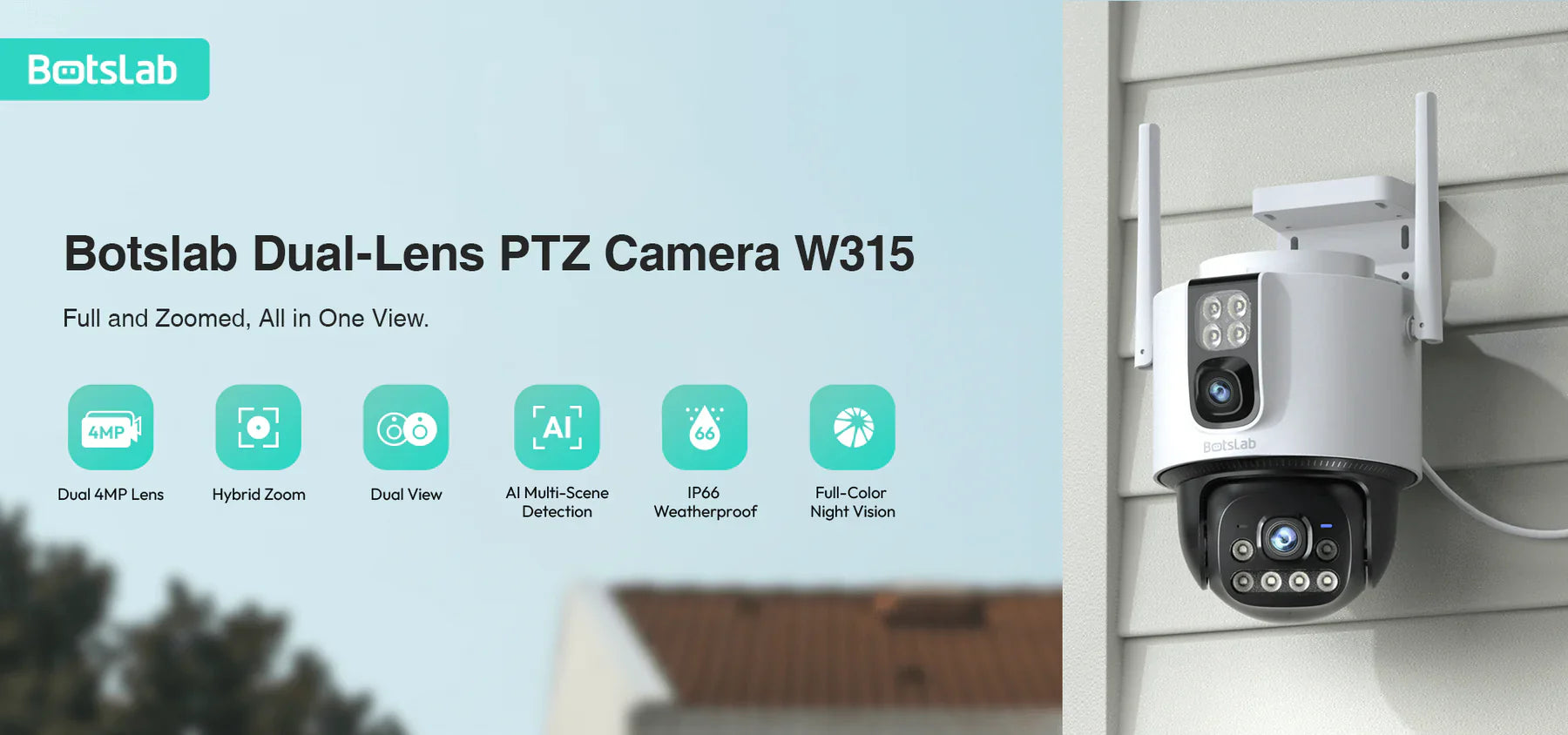
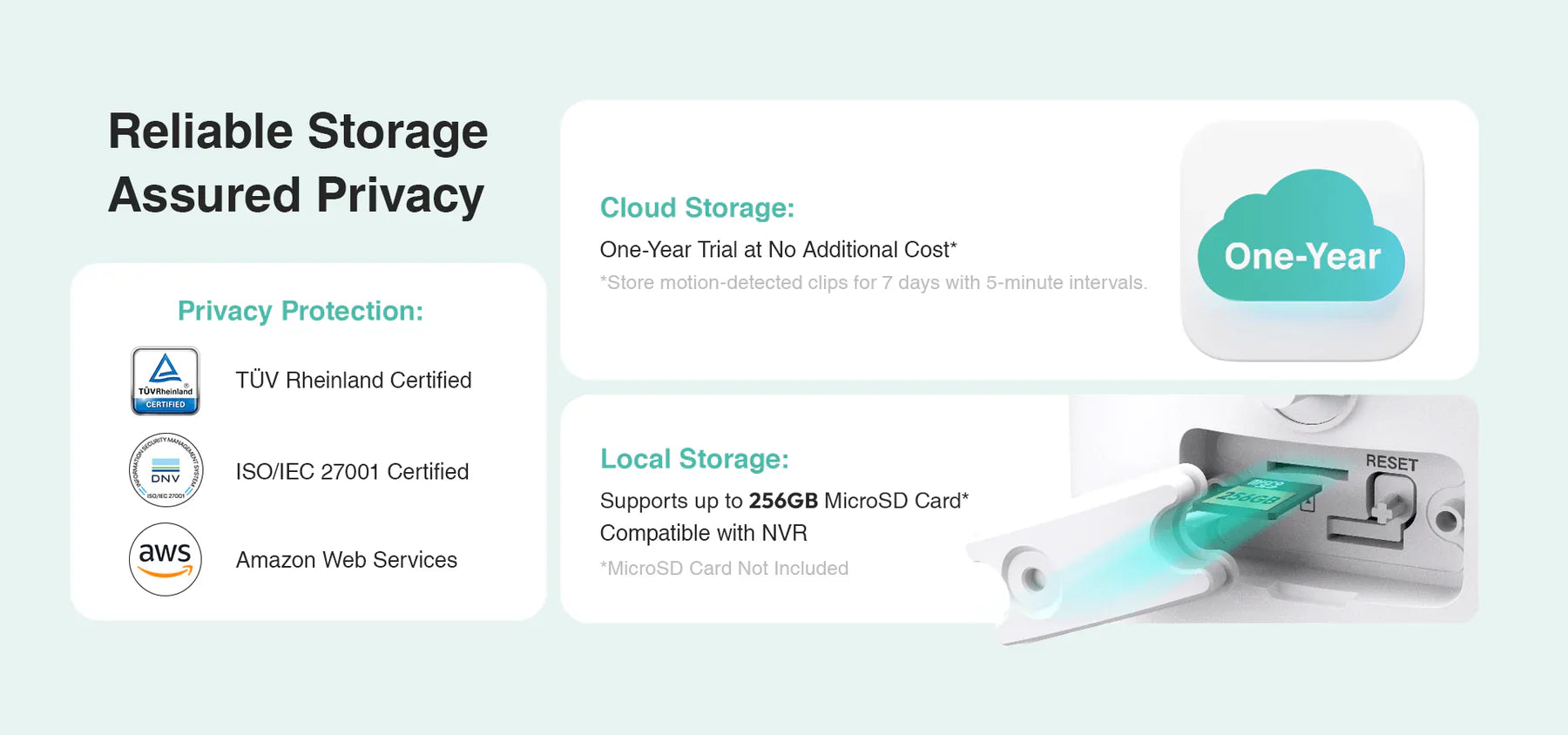
This modern approach decentralizes storage, eliminating the need for a single, bulky recording box. Instead, each camera is equipped with a slot for a high-capacity microSD card. For instance, brands like Botslab have perfected this model. Their advanced outdoor and indoor cameras offer crystal-clear 4K or 2.5K resolution and support high-capacity microSD cards, often up to 256GB. This setup delivers the core benefits of local storage—privacy and no monthly fees—without the complexity of wiring everything back to a central recorder. Combined with sophisticated AI detection that only records meaningful events, these cameras can store weeks or even months of relevant clips on a single SD card, making it a highly efficient solution for most homeowners.
What Should You Look for When Evaluating System Expandability?
When investing in a security system, it's wise to plan for the future. A system's expandability determines its long-term value. For traditional NVRs, the two primary factors are the number of channels and the maximum storage capacity. A 16-channel NVR allows you to connect up to 16 cameras, even if you only start with 4. This gives you room to add more cameras later. Similarly, check the NVR's specifications for the maximum HDD size it supports. A unit that can be upgraded to 8TB or 16TB offers significant future-proofing.
For systems built on standalone cameras, expandability is even simpler. Since each camera operates independently, expanding your system is as easy as buying and installing another camera. This modular approach provides ultimate flexibility, allowing you to add cameras one by one as your needs or budget change, without being constrained by the channel limits of a physical NVR.
How Does AI Impact Local Storage Needs?
Artificial Intelligence (AI) has a transformative effect on local storage efficiency. Its primary benefit is the ability to intelligently filter what gets recorded. Traditional systems that record 24/7 or use basic motion detection fill up hard drives with hours of useless footage—rustling leaves, passing headlights, or neighborhood pets. This makes finding a specific event like searching for a needle in a haystack and consumes storage at an incredible rate.
AI-powered cameras, such as those developed by Botslab, change this entirely. By using advanced algorithms to differentiate between people, vehicles, and other types of motion, the camera can be set to record only the events that matter to you. This intelligent, event-based recording means a 2TB hard drive or a 256GB microSD card can last exponentially longer. You're no longer wasting space on irrelevant data, and when you need to review footage, you're presented with a clean timeline of significant events, not hours of empty scenery.
What Is the Installation Process Like for These Systems?
The installation process varies dramatically between different types of systems. A wired PoE NVR system is the most involved. It requires running Ethernet cables from the NVR's location to each camera's mounting point. This can involve drilling through walls and routing cables through attics or crawlspaces, often requiring a moderate level of DIY skill or professional installation.
In stark contrast, setting up a system of standalone Wi-Fi cameras with on-board SD card storage is significantly simpler. The installation typically involves mounting the camera, connecting it to a power source (or using its battery), and then pairing it with your home Wi-Fi network via a mobile app. This process can usually be completed in minutes per camera, without any complex wiring. This ease of installation makes modern, decentralized systems an increasingly popular choice for users who value convenience and simplicity without compromising on key security features.
Share:
What is the Best Wireless Outdoor Camera for Monitoring Large Acreage?
What Are the Top 10 Best Outdoor Security Cameras Utilizing AI Object Recognition?